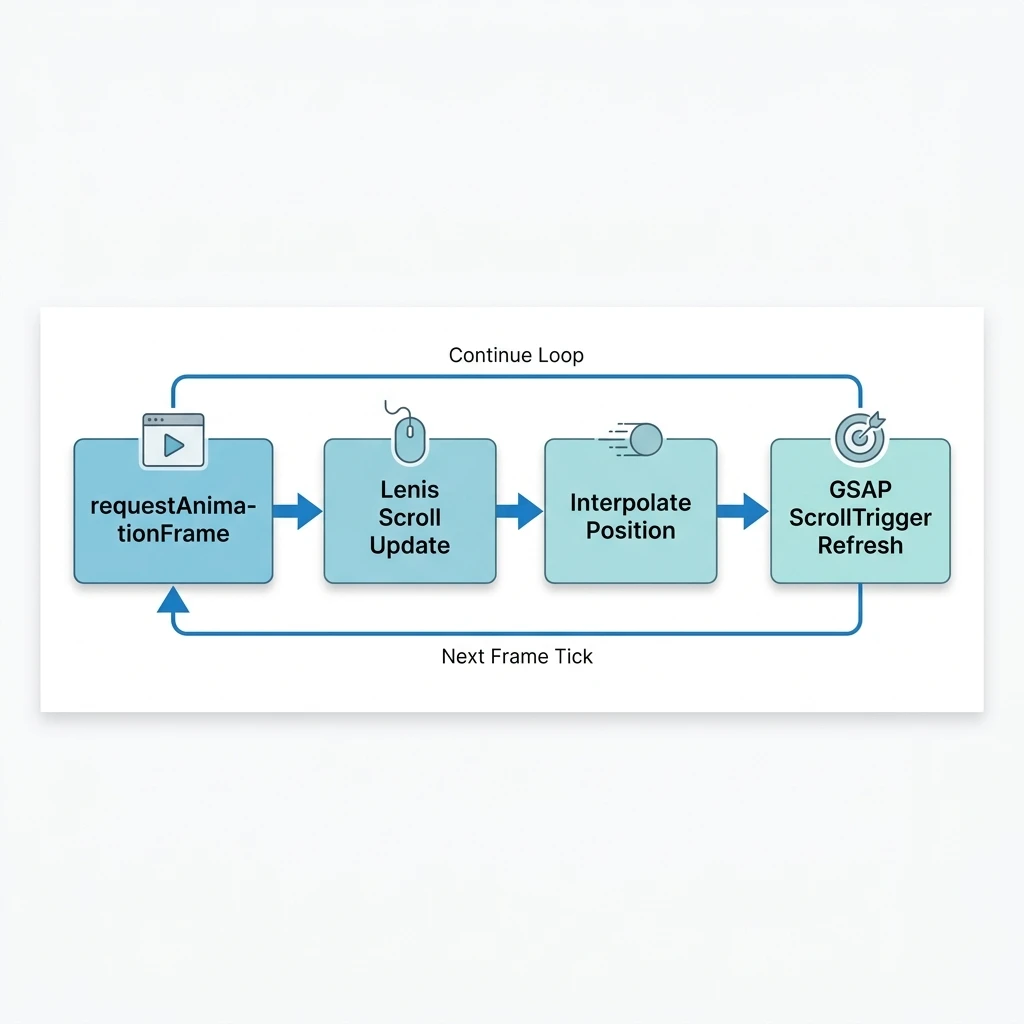
Integrating Lenis smooth scroll into React layouts using requestAnimationFrame hooks prevents scroll stutter while keeping animations synced with hardware refresh rates. This lightweight setup provides fluid scrolling dynamics without breaking native keyboard navigation or accessibility features.
Smooth scrolling enhances the feel of modern websites, but many legacy libraries override native browser scrolling completely. This "scroll hijacking" often breaks keyboard shortcuts, blocks reader accessibility settings, and causes layout jumps. Lenis avoids these issues by working with the browser's native scroll mechanics rather than overriding them, offering a lightweight, accessible smooth scroll solution.
1. Initializing Lenis in React Context
To implement smooth scrolling across your application, initialize Lenis inside a global context wrapper or layout component. We run this setup within a useEffect hook, configuring the requestAnimationFrame render loop to update the scroll position on every frame:
import React, { useEffect, useRef } from 'react';
import Lenis from '@studio-freight/lenis';

export const SmoothScrollProvider: React.FC<{ children: React.ReactNode }> = ({ children }) => {
  const lenisRef = useRef<Lenis | null>(null);

  useEffect(() => {
    // Initialize Lenis with custom smooth properties
    const lenis = new Lenis({
      duration: 1.2,
      easing: (t) => Math.min(1, 1.001 - Math.pow(2, -10 * t)),
      orientation: 'vertical',
      gestureOrientation: 'vertical',
      smoothWheel: true,
      wheelMultiplier: 1
    });

    lenisRef.current = lenis;

    // Set up requestAnimationFrame render loop
    function raf(time: number) {
      lenis.raf(time);
      requestAnimationFrame(raf);
    }

    requestAnimationFrame(raf);

    // Clean up instance on unmount
    return () => {
      lenis.destroy();
    };
  }, []);

  return <>{children}</>;
};
This layout wrapper initializes Lenis globally, applying smooth scroll dynamics to all child components and automatically cleaning up the animation instance when the layout unmounts.
2. Syncing Lenis with GSAP ScrollTrigger
If you use GSAP ScrollTrigger animations alongside smooth scrolling, you must link the two libraries. If you don't sync them, GSAP will calculate trigger positions based on the browser's raw scroll state while Lenis renders smooth visual interpolations, causing animations to lag or jump.
You can sync them by configuring ScrollTrigger to listen directly to Lenis's scroll updates:
import { gsap } from 'gsap';
import { ScrollTrigger } from 'gsap/ScrollTrigger';

gsap.registerPlugin(ScrollTrigger);

// Connect Lenis updates directly to GSAP ScrollTrigger
lenis.on('scroll', ScrollTrigger.update);

// Configure GSAP to use Lenis for scroll mapping
ScrollTrigger.scrollerProxy(document.body, {
  scrollTop(value) {
    return arguments.length ? lenis.scrollTo(value, { immediate: true }) : lenis.scroll;
  },
  getBoundingClientRect() {
    return {
      top: 0,
      left: 0,
      width: window.innerWidth,
      height: window.innerHeight
    };
  },
  pinType: document.body.style.transform ? "transform" : "fixed"
});
This integration binds GSAP's layout calculations directly to Lenis's smooth scrolling values, ensuring animations trigger smoothly and match the user's scroll speed precisely.
Lenis Integration Checklist
- Always clean up the Lenis instance by calling
lenis.destroy()on unmount. - Set up `ScrollTrigger.update` inside the scroll event callback to prevent animation lag.
- Ensure the root document elements do not have conflicting
overflow: hiddenrules in CSS.
3. Accessibility & Native Navigation
Lenis maintains browser accessibility features out of the box. Keyboards, mouse wheels, and touchpads trigger smooth scroll animations naturally, keeping the user experience consistent across all inputs.
For more details on managing GSAP lifecycles within React component mounts, review our guide, How to Implement GSAP ScrollTrigger in React Safely.
We build fluid, interactive web experiences that prioritize speed and accessibility. Learn more about our web design services on our Custom Website Development Service page, or contact our team to discuss your project.